
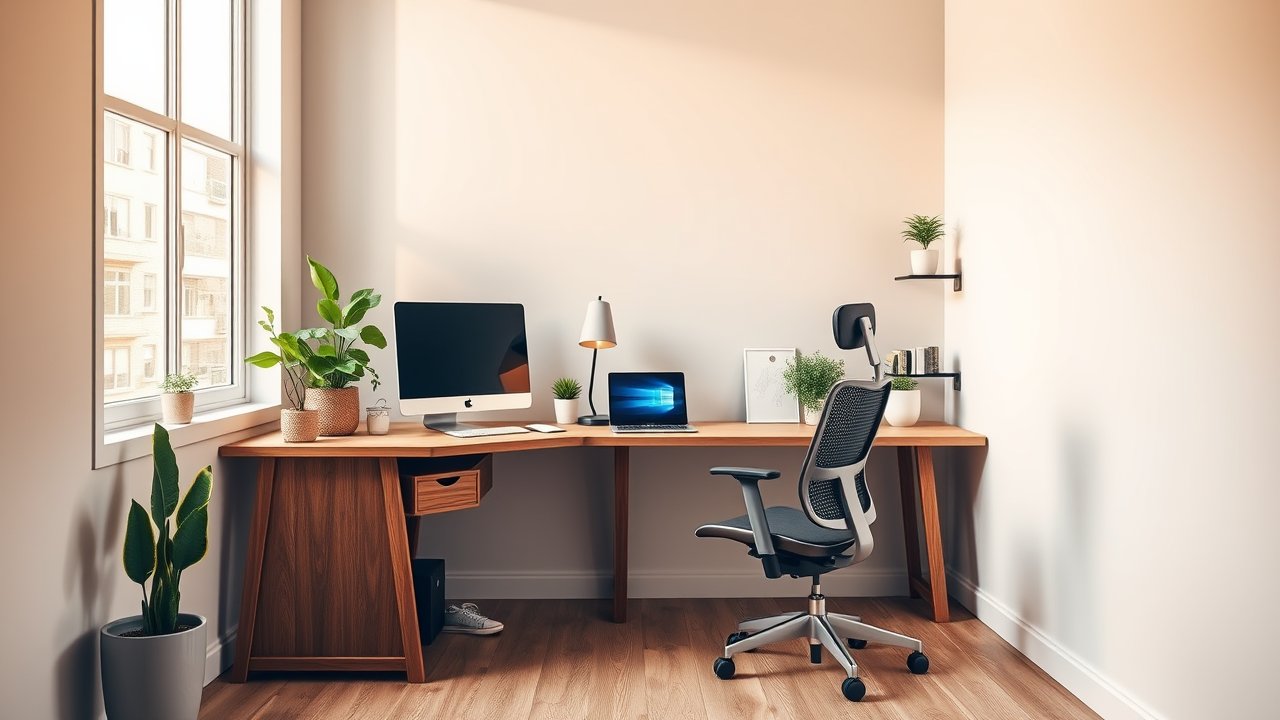
Corners are often the most underused space in a room. A corner desk turns that dead zone into a productive workspace, giving you more surface area than a straight desk in the same footprint. Whether you need room for two monitors and paperwork, a dedicated laptop zone, or simply a compact desk that tucks into a bedroom corner, there’s a corner desk for you. Finding the best corner desk for home office use means choosing the right shape, size, materials, and storage for your space and workflow. In this guide, we compare six corner desks – from budget-friendly L-shaped desks to sturdy premium options – and share setup tips to make the most of your corner.
As an Amazon Associate, I earn from qualifying purchases. This article contains affiliate links at no extra cost to you.
Quick Comparison Table
| Product | Price | Best For | Rating |
|---|---|---|---|
| Bestier L-Shaped Desk with Shelves | ~$120–$180 | Best overall | ⭐⭐⭐⭐⭐ |
| Coleshome L-Shaped Desk | ~$80–$120 | Best budget | ⭐⭐⭐⭐ |
| Tribesigns L-Shaped Desk with Drawers | ~$200–$300 | Best storage | ⭐⭐⭐⭐ |
| Small Triangle Corner Desk | ~$60–$100 | Best for tiny spaces | ⭐⭐⭐⭐ |
| Mr IRONSTONE L-Shaped Desk | ~$100–$150 | Best sturdy frame | ⭐⭐⭐⭐ |
| L-Shaped Electric Standing Desk | ~$350–$600 | Best height-adjustable | ⭐⭐⭐⭐ |
Prices are approximate at the time of writing and may vary. Check Amazon for the current price.
Our Top Picks at a Glance
The Bestier L-Shaped Desk with Shelves is the best corner desk for home office use for most people – it’s well-sized, includes built-in shelves, and offers strong value. On a tight budget, the Coleshome L-Shaped Desk provides a simple, sturdy corner workspace. If you need storage, the Tribesigns L-Shaped Desk with Drawers keeps files and supplies close at hand.
Reviews – The Best Corner Desk for Home Office Use
1. Bestier L-Shaped Desk with Shelves – Best Overall
Bestier’s L-shaped desks are popular for home offices because they combine a generous work surface with built-in shelving. Many versions include a shelf section on one side for books, a printer, or storage bins, plus a monitor stand or raised shelf for better screen height.
The steel frame is sturdy, and the laminate top is easy to clean. The desk is often reversible, so you can choose which side the shelves go on. Assembly takes an hour or two, but the result is a complete workstation with plenty of space.
Pros:
– Built-in shelves and storage
– Reversible layout
– Sturdy steel frame
– Good value for the size
Cons:
– Laminate top rather than solid wood
– Assembly takes time
– Shelves reduce legroom on one side
2. Coleshome L-Shaped Desk – Best Budget
Coleshome offers simple L-shaped desks with a metal frame and wood-look top at budget prices. It’s a no-frills design, but it provides plenty of surface area for a laptop, monitor, and paperwork.
It’s a great choice for students, first-time remote workers, or anyone who needs a corner desk without spending much.
Pros:
– Very affordable
– Simple, clean design
– Easy assembly
– Plenty of surface area
Cons:
– No built-in storage
– Thinner top
– Some wobble on uneven floors
3. Tribesigns L-Shaped Desk with Drawers – Best Storage
Tribesigns makes L-shaped desks with drawers, file cabinets, and shelves built in. If you work with paper files or need to keep supplies organized, these desks reduce the need for extra storage furniture.
They’re larger and heavier than basic desks, so they’re best for dedicated office rooms. Check the dimensions carefully before ordering.
Pros:
– Drawers and file storage
– Large work surface
– Professional look
– Sturdy build
Cons:
– Larger footprint
– Heavier assembly
– More expensive
4. Small Triangle Corner Desk – Best for Tiny Spaces
If your corner is small, a triangle or compact corner desk fits snugly without taking over the room. These desks are ideal for laptops, bedroom offices, and small apartments.
The surface is limited, so they’re best for light work. Pair with a laptop stand and wireless keyboard for better ergonomics.
Pros:
– Fits small corners
– Affordable
– Easy to assemble
Cons:
– Limited surface area
– Not ideal for monitors
– Less legroom
5. Mr IRONSTONE L-Shaped Desk – Best Sturdy Frame
Mr IRONSTONE desks are known for thick steel frames that feel more solid than many budget desks. The L-shaped design provides a large work surface, and the frame minimizes wobble.
It’s a good choice if you plan to use heavy monitors or lean on your desk while working.
Pros:
– Sturdy steel frame
– Large surface
– Good value
– Minimal wobble
Cons:
– Basic design
– Limited storage
– Heavy
6. L-Shaped Electric Standing Desk – Best Height-Adjustable
If you want to alternate between sitting and standing, an L-shaped electric standing desk gives you the corner layout plus height adjustment. Triple-motor designs lift evenly across both sides.
They’re more expensive and heavier but provide the most ergonomic flexibility. See our list of the best L-shaped standing desks for detailed picks.
Pros:
– Sit-stand flexibility
– Large corner surface
– Memory presets
Cons:
– Expensive
– Heavy assembly
– Requires power outlet
How We Researched & Selected These Products
These picks are based on research and user reviews. We compared dimensions, materials, frame designs, storage features, weight capacities, and assembly requirements, then analyzed thousands of verified buyer reviews for sturdiness, durability, and ease of assembly. We focused on desks that use corner space efficiently and offer good value for home offices.
Buyer’s Guide – How to Choose the Best Corner Desk for Home Office Use
Measure Your Corner
Measure both walls from the corner outward and note any windows, outlets, radiators, or vents. Leave space for your chair to move – at least 3 feet behind the desk.
Shape: L-Shaped vs. Triangle
L-shaped desks provide two full work surfaces and are best for multi-monitor setups. Triangle corner desks fit small spaces but offer limited surface area.
Surface Depth
A depth of at least 24 inches is ideal for a monitor and keyboard. Shallower desks work for laptops.
Storage
Built-in shelves, drawers, and file cabinets help keep your desk organized. If your desk lacks storage, add a drawer unit or wall shelves.
Frame and Stability
Steel frames are sturdier than particleboard legs. Look for adjustable feet to level the desk on uneven floors.
Price vs. Quality – What to Expect at Each Budget
- Under $120: Basic L-shaped and triangle desks.
- $120–$250: Built-in storage, sturdier frames, better finishes.
- $250+: Large desks with drawers, premium materials, and standing options.
How to Set Up a Corner Desk Ergonomically
The biggest mistake with corner desks is placing the monitor deep in the corner. That pushes it too far away and makes you lean forward. Instead:
- Place your primary monitor on one side of the L, not in the corner itself – unless you use a monitor arm to pull it forward.
- Keep your keyboard and mouse directly in front of you, with your elbows at about 90 degrees.
- Use the second side for paperwork, a laptop, or a second monitor.
- Position the desk so windows are to the side to reduce glare.
For more guidance, see our guide on how to position your monitor and our desk height chart.
Corner Desk Layout Ideas
- Work + Paper: Monitor on one side, writing space on the other.
- Dual Monitor: Monitors on one side, laptop and notes on the other.
- Work + Hobby: One side for your job, the other for gaming, drawing, or crafts.
- Shared Desk: Two people use one side each – see our guide to the best home office setup for two people.
Cable Management for Corner Desks
Corner desks often hide cables in the corner, but that can become a tangled mess. Use an under-desk cable tray along the back edges, adhesive clips, and a power strip mounted under the desk. Our guide to cable management for home office covers the best products.
Lighting a Corner Desk
Corners tend to be the darkest part of a room, and facing a wall can make the space feel closed in. Add task lighting to brighten your work surface – a desk lamp on the side opposite your mouse hand avoids shadows. A monitor light bar saves space and keeps glare off the screen. For ambient light, LED strips under a shelf or behind the monitor make the corner feel more open. If you have a window on one side, position your monitor perpendicular to it to reduce glare. Our home office lighting setup guide explains how to layer lighting for comfort.
Choosing a Chair for a Corner Desk
A corner desk works best with a chair that swivels easily and has casters, since you’ll move between two surfaces. Armrests should be low enough to slide under the desk, and the chair should fit the desk height. Choose a compact chair if your corner is tight. If you sit on carpet, a chair mat helps you roll smoothly between sides – see our guide to the best chair mats for carpet.
Corner Desk vs. Straight Desk
A corner desk gives you more surface in the same footprint and separates tasks naturally. A straight desk is easier to place against any wall, is simpler to assemble, and often costs less. If your room has a free corner and you need space for multiple monitors or tasks, a corner desk is the better choice. If you have only a short wall or plan to move soon, a straight desk is more flexible.
Common Mistakes to Avoid
- Putting the monitor too far into the corner.
- Not measuring for windows, vents, and outlets.
- Choosing a desk too shallow for a monitor.
- Ignoring chair clearance.
- Overloading a budget desk with heavy equipment.
Frequently Asked Questions
Is a corner desk good for a home office?
Yes. Corner desks maximize surface area in a compact footprint and make use of otherwise empty space.
What size corner desk do I need?
For a monitor and keyboard, choose a desk at least 24 inches deep with sides of 48 inches or more. For laptops, smaller corner desks work.
Can I use a corner desk for gaming?
Yes. L-shaped desks are popular for gaming setups because they provide room for multiple monitors and accessories. See our list of best L-shaped gaming desks.
Are corner desks hard to assemble?
Most take one to two hours with basic tools. Larger desks with drawers take longer. Having a second person helps.
Where should I put my monitor on a corner desk?
On one side of the L, directly in front of you, or in the corner with a monitor arm to bring it closer.
How do I fit a corner desk in a small room?
Choose a compact L-shaped desk with shorter sides (around 40 to 48 inches each) or a triangle corner desk. Use wall shelves instead of floor storage, and pick a compact chair. Our guide to the best floating desks covers even more space-saving options.
Do corner desks work with standing desks?
Yes. L-shaped electric standing desks use two or three motors to lift both sides together. They’re heavier and more expensive than straight standing desks but give you the same corner layout with sit-stand flexibility.
Are L-shaped desks reversible?
Many are. Check the product listing to see if you can switch the long and short sides.
Final Verdict
The Bestier L-Shaped Desk with Shelves is the best corner desk for home office use for most people, combining ample space and built-in storage at a great price. The Coleshome L-Shaped Desk is a strong budget pick, and the Tribesigns L-Shaped Desk with Drawers is ideal if you need storage. Measure carefully, avoid placing your monitor too deep in the corner, and keep cables organized for a corner workspace that works as well as it looks.