The Herman Miller Aeron is probably the most recognizable office chair ever made. Since its debut in 1994, it has become a symbol of serious work – from tech startups to trading floors to home offices. But a lot has changed in ergonomic seating since then, and at well over $1,000 new, the Aeron is a major investment. In this Herman Miller Aeron review, we break down how the current Aeron performs for remote workers today: comfort over long days, sizing, adjustability, durability, and whether it’s still worth the money compared to newer rivals. Our analysis is based on research, specifications, and thousands of owner reviews, so you can decide whether the Aeron belongs in your home office.
As an Amazon Associate, I earn from qualifying purchases. This article contains affiliate links at no extra cost to you.
Herman Miller Aeron Review: Quick Verdict
The Aeron remains one of the best office chairs available – especially for people who run warm, sit upright, and want a chair that lasts a decade or more. Its breathable mesh, three size options, and excellent build quality are standouts. However, its firm seat edge and fixed-shape mesh won’t suit everyone, and some competitors offer more plush comfort for less.
Rating: ⭐⭐⭐⭐⭐ (4.6/5)
Herman Miller Aeron Specs at a Glance
| Feature | Herman Miller Aeron |
|---|---|
| Price (new) | ~$1,400–$2,000 depending on configuration |
| Sizes | A (small), B (medium), C (large) |
| Seat & Back | 8Z Pellicle elastomeric mesh |
| Lumbar Support | PostureFit SL (sacral + lumbar) or adjustable lumbar pad |
| Armrests | Fixed, height-adjustable, or fully adjustable |
| Tilt | Tilt limiter, optional forward tilt |
| Weight Capacity | Up to 350 lbs |
| Warranty | 12 years |
Prices are approximate at the time of writing and may vary. Check Amazon for the current price.
Design & Build Quality
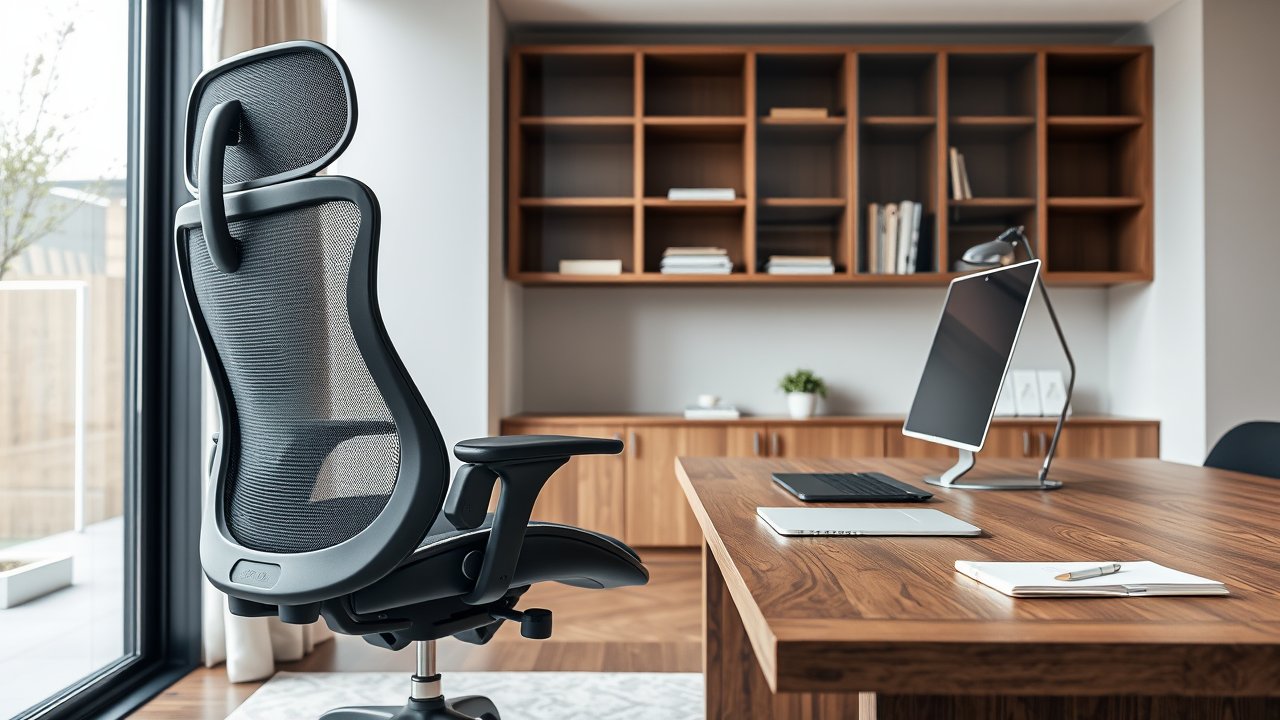
The Aeron’s design is instantly recognizable: a skeletal aluminum or graphite frame with a mesh seat and back stretched across it. The current version, often called the “Aeron Remastered,” updated the original with refined mesh zones, improved tilt mechanics, and the PostureFit SL back support.
Build quality is outstanding. The frame feels solid, the mechanisms are smooth, and Herman Miller backs the chair with a 12-year warranty. Many owners report using the same Aeron for 10 to 15 years. That’s a key point when considering the price: spread over a decade, the cost per year is surprisingly reasonable.
The mesh – called 8Z Pellicle – has eight different tension zones that provide firmer support where you need it and more give elsewhere. It doesn’t flatten like foam, which is a big reason Aerons hold up so well over time.
Comfort & Ergonomics
Breathability
The Aeron’s biggest strength is breathability. Air flows through the seat and back, keeping you cool even during long workdays. If you live in a warm climate or your home office gets stuffy, this is a huge advantage over foam chairs. See our list of the best mesh office chairs for hot climates for alternatives.
Back Support
PostureFit SL uses two pads – one supporting the sacrum (the base of the spine) and one supporting the lumbar area. This helps your pelvis tilt forward slightly, encouraging a natural spinal curve. Many users with lower back discomfort find it supportive, while others prefer the simpler adjustable lumbar pad option.
Seat Comfort
The mesh seat distributes pressure evenly, but the front edge is firm. Some users – especially shorter people or those who sit cross-legged – find the front frame edge uncomfortable. Choosing the correct size helps a lot.
Recline
The Aeron’s tilt mechanism follows your body naturally as you recline, and the tilt limiter lets you lock the backrest at different angles. The optional forward tilt is useful for people who lean toward their desk while typing or drawing.
Adjustments & Sizing
The Aeron is available in three sizes:
- Size A: For smaller users
- Size B: For most average-sized users
- Size C: For larger and taller users
Herman Miller provides a sizing chart based on height and weight. Choosing the right size is critical because the Aeron doesn’t have seat depth adjustment – the size determines your seat depth.
Adjustments include seat height, tilt tension, tilt limiter, optional forward tilt, PostureFit SL depth, and armrests (height, depth, and pivot on fully adjustable models). If you’re not sure how to set it up, our guide on how to adjust your office chair walks you through each setting.
Price & Value
New Aerons typically cost $1,400 to $2,000 depending on configuration – fully adjustable arms, PostureFit SL, and premium finishes add cost. Refurbished Aerons from reputable dealers can be significantly cheaper and often come with their own warranties.
Is it worth it? If you sit for six to ten hours a day, a chair that lasts over a decade and keeps you comfortable is a reasonable investment. If you work part-time or prefer softer seating, there are better values.
Pros and Cons
Pros:
– Excellent breathability for warm environments
– Three sizes for a better fit
– Exceptional durability and 12-year warranty
– PostureFit SL supports a healthy posture
– Strong resale value
Cons:
– Expensive new
– Firm front seat edge bothers some users
– No seat depth adjustment
– Mesh feel isn’t for everyone
What Owners Say After Years of Use
Because the Aeron has been around for decades, there’s an unusually large pool of long-term owner feedback. A few themes come up again and again:
- Durability is the headline. Owners frequently describe chairs that still work perfectly after eight, ten, or even fifteen years. When parts do wear out – usually casters, armrest pads, or the gas cylinder – they’re replaceable.
- The mesh stays consistent. Unlike foam chairs that slowly flatten, the Aeron’s seat feels much the same years later. Some owners note minor sagging in very old mesh, which can be replaced.
- There’s an adjustment period. Many people say the Aeron felt firm or unusual for the first week, then became comfortable once they found the right tilt and PostureFit settings.
- Size matters more than people expect. The most common negative reviews come from buyers in the wrong size – usually a Size B that’s too deep for a shorter user, or too small for a larger one.
- Resale value is strong. Because the chair lasts so long, used Aerons hold their value well, which reduces the true cost of ownership.
Configurations Explained
When you shop for an Aeron, you’ll see many options, and the price varies a lot depending on what you choose:
- Back support: PostureFit SL is the most popular option. The basic adjustable lumbar pad costs less and some people prefer it. There’s also a version with no added lumbar support.
- Armrests: Fixed arms are cheapest. Height-adjustable arms add flexibility. Fully adjustable arms (height, depth, and pivot) are best for most desk workers.
- Tilt: The standard tilt includes a limiter. “Tilt limiter and seat angle” adds a forward tilt option.
- Finish: Graphite is the standard; Mineral and Carbon finishes are available, along with polished aluminum bases at a premium.
- Casters: Standard casters work on carpet; hard-floor casters protect hardwood.
If you’re on a budget, focus your spending on the right size, adjustable arms, and lumbar support – these affect comfort most.
Who Should Buy the Herman Miller Aeron?
- People who run hot: The mesh design keeps you cool all day.
- Long-hours desk workers: Programmers, writers, and analysts who sit upright for many hours.
- Buyers who want longevity: If you want a chair that lasts 10+ years, the Aeron is a safe bet.
- People who know their size: With three sizes, the Aeron fits well when chosen correctly.
Who Should Skip It?
- People who prefer plush cushioning: Foam chairs like the Steelcase Leap may feel more comfortable.
- Cross-legged sitters: The frame edges make it uncomfortable to sit cross-legged.
- Tight budgets: Excellent ergonomic chairs exist for under $500 – see our list of the best ergonomic chairs under $500.
Aeron vs. Alternatives
Aeron vs. Steelcase Leap
The Leap offers adjustable lumbar firmness, seat depth adjustment, and a foam seat many find more comfortable. The Aeron is more breathable. Read our detailed Aeron vs Leap comparison.
Aeron vs. Herman Miller Embody
The Embody focuses on spinal alignment and pressure distribution with a pixelated support system. It’s more expensive but often feels more adaptive. See our Embody review.
Aeron vs. Budget Mesh Chairs
Budget mesh chairs can mimic the look of the Aeron, but they rarely match its durability, mesh quality, or adjustability. Cheaper mesh tends to stretch and sag within a few years, plastic mechanisms wear out, and warranties are much shorter. That said, if you only work from home a few days a week, a well-reviewed mesh chair in the $200 to $400 range can be a sensible choice – just don’t expect it to last as long as an Aeron.
How to Get the Most Out of Your Aeron
- Choose the right size. Use Herman Miller’s sizing chart before buying.
- Set seat height first. Feet flat on the floor, thighs parallel.
- Adjust PostureFit SL. It should support your sacrum and lower back without pushing you forward.
- Set the tilt tension. You should be able to recline easily without falling back.
- Adjust armrests. Your elbows should rest at about 90 degrees with shoulders relaxed.
The Mayo Clinic’s office ergonomics guide is a helpful reference for setting up your workstation around your chair.
Buying Tips: New vs. Refurbished
Buying new gives you the full warranty and the exact configuration you want. Refurbished Aerons can save hundreds of dollars and are widely available because companies replace office furniture in bulk. Check what configuration you’re getting – arms, lumbar support, and size – and buy from a seller with a warranty and return policy.
FAQ
Is the Herman Miller Aeron worth the money?
For people who sit many hours a day and want a breathable, durable chair, yes. Its 12-year warranty and long lifespan make the cost per year reasonable. If you prefer plush seating or have a tight budget, consider alternatives.
Which Aeron size do I need?
Most average-sized users fit Size B. Smaller users typically need Size A, and larger or taller users Size C. Check Herman Miller’s sizing chart for your height and weight.
Is the Aeron good for back pain?
Many users with lower back discomfort find the PostureFit SL support helpful. However, comfort is personal. Try the chair in person if possible or buy from a seller with a good return policy.
How long does an Aeron chair last?
With normal use, Aerons often last 10 to 15 years or more, backed by a 12-year warranty.
Does the Aeron need a headrest?
Herman Miller doesn’t offer a headrest for the Aeron, and most people who sit upright don’t miss one. If you recline a lot during calls or reading, third-party headrests are available that clamp onto the frame. Make sure the one you buy is designed specifically for the current Aeron model.
Can I use the Aeron on hardwood floors?
Yes, but choose hard-floor casters or use a chair mat to protect your floors. Standard casters are designed for carpet and can scratch wood over time.
Is the Aeron comfortable for gaming?
Yes, many gamers use the Aeron. It doesn’t have a headrest by default, but aftermarket headrests are available. Its upright support suits competitive gaming well.
Can short people use the Aeron?
Yes, Size A is designed for smaller users. Shorter users may also benefit from a footrest. See our list of the best ergonomic chairs for short people for more options.
Final Verdict
Our Herman Miller Aeron review comes down to this: the Aeron is still one of the best office chairs you can buy in 2026. It’s breathable, durable, and supportive, with three sizes that fit a wide range of bodies. It’s not perfect – the firm seat edge and lack of seat depth adjustment won’t suit everyone – but if you choose the right size and value long-term quality, it’s an investment that pays off over many years of comfortable work.