
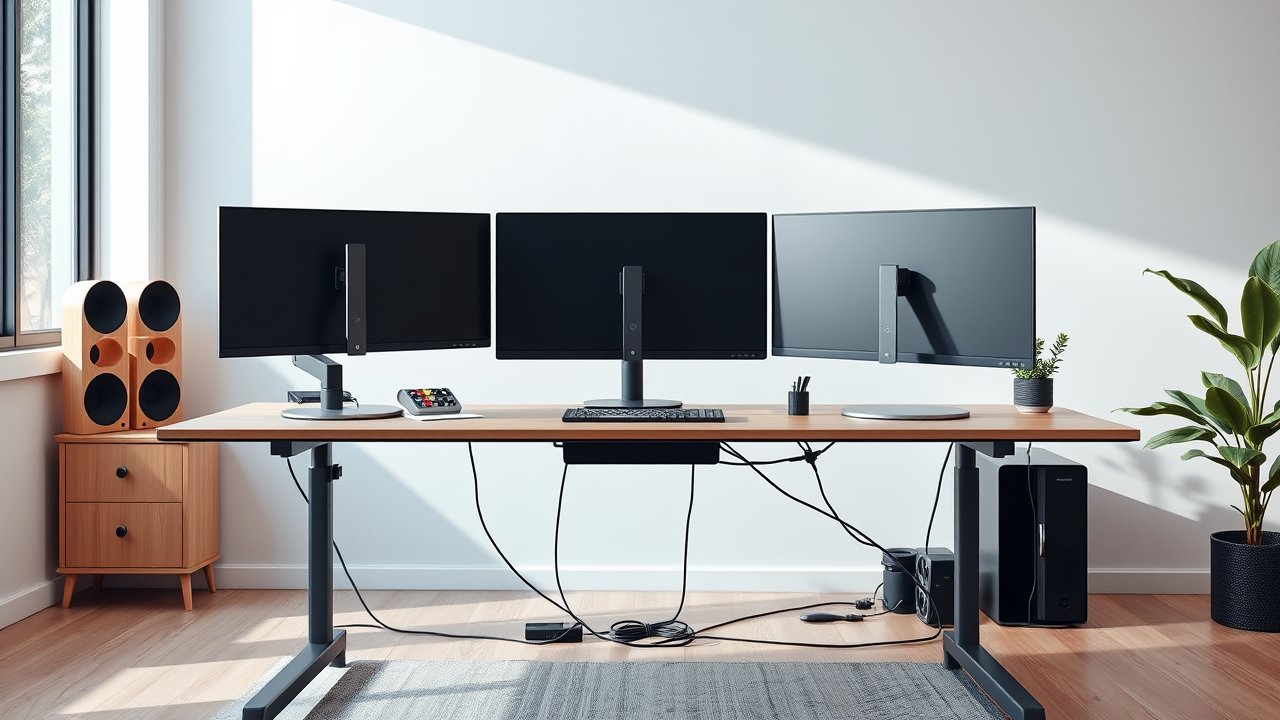
Three monitors can transform your productivity – a main screen for your work, one for reference material, and one for communication or dashboards. But a triple-screen setup puts real demands on a standing desk. It needs a wide surface, a high weight capacity, a stable frame that doesn’t wobble at standing height, and motors strong enough to lift everything smoothly. Choosing the wrong standing desk for three monitors can mean shaky screens every time you type, a desk that strains when it lifts, or monitors that hang off the edges. This guide covers six desks that handle triple-monitor workstations well, plus everything you need to know about width, depth, monitor arms, and cable management.
As an Amazon Associate, I earn from qualifying purchases. This article contains affiliate links at no extra cost to you.
Quick Comparison Table
| Product | Price | Best For | Rating |
|---|---|---|---|
| Uplift V2 Commercial (72″–80″) | ~$900+ | Best overall | ⭐⭐⭐⭐⭐ |
| FlexiSpot E7 Pro (72″) | ~$600 | Best value | ⭐⭐⭐⭐⭐ |
| Fully Jarvis (72″) | ~$750 | Best wood top options | ⭐⭐⭐⭐ |
| Fezibo Triple Motor L-Shaped | ~$450 | Best L-shaped | ⭐⭐⭐⭐ |
| VIVO Dual Motor (72″ x 30″) | ~$450 | Best budget wide desk | ⭐⭐⭐⭐ |
| Vari Electric Standing Desk (72″) | ~$800+ | Best for heavy setups | ⭐⭐⭐⭐ |
Prices are approximate at the time of writing and may vary. Check Amazon for the current price.
Our Top Picks at a Glance
The Uplift V2 Commercial is the best standing desk for three monitors if you want maximum stability and a huge range of sizes up to 80 inches. The FlexiSpot E7 Pro offers much of the same performance for less money and is one of the most stable desks in its class. If you prefer a corner layout that wraps your screens around you, the Fezibo Triple Motor L-Shaped desk is a strong budget choice.
Reviews – The Best Standing Desk for Three Monitors
1. Uplift V2 Commercial (72″–80″) – Best Overall
The Uplift V2 Commercial is built for exactly this kind of workload. It uses dual motors and three-stage legs, a wide height range, and a weight capacity of around 355 pounds – far more than three monitors plus a desktop PC will ever need. The commercial frame is thicker and heavier than the standard V2, which makes it noticeably more stable at standing height.
Uplift offers tops up to 80 inches wide and 30 inches deep, which gives you room for three 27-inch monitors side by side with space for speakers or a lamp. You can add accessories like a crossbar, cable management tray, and wire grommets during checkout. Read our full Uplift V2 review for more details on the frame and controls.
Pros:
– Very stable commercial frame
– Huge range of sizes and tops up to 80″
– High weight capacity
– Long warranty
Cons:
– Expensive once you add accessories
– Heavy and time-consuming assembly
– Best value requires customizing options
2. FlexiSpot E7 Pro (72″) – Best Value
The E7 Pro is one of FlexiSpot’s most popular desks and a great match for triple monitors. Its C-frame design with legs set at the back gives you more legroom, and the frame is engineered for strong stability. Weight capacity is high enough for heavy multi-monitor setups, and dual motors lift smoothly.
Pair the frame with a 72-inch top for three 24 or 27-inch monitors on a triple monitor arm. The keypad includes memory presets and collision detection. If you want to compare FlexiSpot models in depth, our FlexiSpot E7 review covers the platform this desk is built on.
Pros:
– Excellent stability for the price
– More legroom thanks to C-frame
– Dual motors, strong lifting capacity
– Good warranty
Cons:
– 72″ tops cost extra
– Heavy to assemble
– Fewer customization options than Uplift
3. Fully Jarvis (72″) – Best Wood Top Options
The Jarvis has a long history as a reliable standing desk and is known for attractive top options, including bamboo and solid hardwood. Its dual-motor frame handles three monitors with ease, and the wide height range suits most users.
At 72 inches wide, the Jarvis provides plenty of space for a triple-monitor setup with a laptop or speakers. Stability at full height is good, especially with a deeper top and an optional crossbar.
Pros:
– Beautiful bamboo and hardwood tops
– Reliable dual-motor frame
– Wide height range
– Good accessories ecosystem
Cons:
– Price climbs with premium tops
– Slight wobble at max height without crossbar
– Availability varies
4. Fezibo Triple Motor L-Shaped – Best L-Shaped
L-shaped desks are great for triple monitors because you can angle the side screens naturally around you. The Fezibo triple-motor L-shaped desk uses three motors to lift the large corner surface evenly, and it’s one of the most affordable options in this category.
Place your main monitor in the corner and one screen on each wing, or keep all three monitors on one side and use the other wing for paperwork. It’s a practical solution for corner spaces. For more corner options, check our best L-shaped standing desks guide.
Pros:
– Corner layout wraps monitors around you
– Three motors for even lifting
– Affordable for its size
– Large total surface area
Cons:
– Requires a corner and a lot of floor space
– Long assembly
– Less refined than premium brands
5. VIVO Dual Motor (72″ x 30″) – Best Budget Wide Desk
VIVO offers wide dual-motor standing desks at prices that undercut premium brands significantly. The 72 x 30-inch version gives you plenty of surface area for three monitors, and dual motors provide smooth lifting.
Stability is good at sitting and mid heights, with some wobble at maximum height – normal for desks in this price range. If you’re on a budget and want a wide desk, it’s a smart pick.
Pros:
– Large surface for the price
– Dual motors
– Memory presets
– Easy assembly
Cons:
– More wobble at full height
– Shorter warranty than premium brands
– Basic tabletop finish
6. Vari Electric Standing Desk (72″) – Best for Heavy Setups
Vari is known for robust standing desks with commercial-grade frames. Its electric desk offers strong stability, a high weight capacity, and a premium top. Assembly is relatively straightforward compared to other heavy desks.
If your setup includes three large monitors, a heavy tower, speakers, and accessories, the Vari’s sturdy build gives you peace of mind.
Pros:
– Commercial-grade, sturdy frame
– High weight capacity
– Simple assembly
– Durable laminate tops
Cons:
– Expensive
– Limited top materials
– Heavy
How We Researched & Selected These Products
These picks are based on research and user reviews rather than hands-on testing. We compared manufacturer specs – desk width and depth options, weight capacity, motor configuration, leg stages, height range, and warranty – then analyzed thousands of verified reviews and long-term owner reports from r/StandingDesk and r/battlestations. We focused on wobble at standing height (the biggest issue with multi-monitor setups), lift performance under load, and frame durability. Desks without a top width of at least 60 inches or with frequent stability complaints were excluded.
Buyer’s Guide – Choosing a Standing Desk for Three Monitors
Desk Width
Three monitors need more space than you might think. A rough guide:
- Three 24″ monitors: about 66 to 72 inches total width
- Three 27″ monitors: about 72 to 80 inches total width
- Two 27″ + one vertical monitor: about 60 to 66 inches
Angled side monitors take slightly less width, but you’ll want extra room for speakers or a lamp.
Desk Depth
A depth of 30 inches is ideal. Larger monitors need distance from your eyes, and a deeper desk helps you sit at a comfortable viewing distance. If you’re tight on space, a monitor arm lets you push screens back past the desk edge.
Weight Capacity and Motors
Three monitors on a triple arm can weigh 40 to 60 pounds. Add a desktop PC, speakers, and accessories, and you could reach 100 pounds or more. Choose a dual-motor desk with a capacity of at least 250 pounds to keep the motors from straining.
Stability
Wobble is magnified when monitors are mounted on arms. Look for three-stage legs, a crossbar, wide feet, and a thick top. C-frame desks like the E7 Pro are often more stable front-to-back.
Monitor Arms
A triple monitor arm or three separate arms free up desk space and let you align screens perfectly. Clamp-mounted arms work with most desks but need a sturdy top. See our picks for the best monitor arms for options.
Price vs. Quality – What to Expect at Each Budget
- Under $500: Wide desks from value brands; more wobble at full height.
- $500–$800: Strong dual-motor frames, better stability, longer warranties.
- $800+: Commercial-grade frames, premium tops, maximum stability.
How to Arrange Three Monitors Ergonomically
Place your primary monitor directly in front of you and angle the side monitors inward so they form a gentle curve. Keep the tops of all screens at or slightly below eye level. If you use one monitor much more than the others, put that one in the center – don’t sit facing the gap between two screens. The OSHA guidance on monitor placement provides helpful distances and angles.
Cable management is critical with three monitors. Use a cable tray under the desk, a cable spine running to the floor, and enough slack for the full height range. Our guide on cable management for home office covers the best products.
Alternatives to Three Separate Monitors
Before you commit to three screens, consider whether a different layout might suit you better. A single ultrawide monitor (34 to 49 inches) gives you a seamless workspace without bezels in the middle, and it’s often lighter and easier to mount than three separate displays. Many people pair one ultrawide with a smaller vertical monitor for chat or documents. Others prefer two 27-inch monitors, which provides plenty of space for most work with less neck rotation. Our comparison of single vs dual vs ultrawide monitors explains the trade-offs. If you stick with three screens, matching models and sizes makes alignment and color consistency much easier.
Frequently Asked Questions
Can a standing desk hold three monitors?
Yes, most quality dual-motor standing desks can easily support three monitors. Check the weight capacity and choose a desk width of at least 66 inches for three 24-inch screens.
What size desk do I need for three 27-inch monitors?
A 72 to 80-inch desk is ideal. Each 27-inch monitor is about 24 inches wide, so three side by side need around 72 inches – plus a little space for angling and accessories.
Do I need a monitor arm for three monitors?
It’s not required, but it’s highly recommended. Monitor arms save desk space, improve ergonomics, and make it easier to align your screens perfectly.
Should I use a triple monitor arm or three single arms?
A triple arm is simpler to install and uses a single clamp, which keeps the desk clean. Three single arms give you more flexibility – you can position each screen independently, mix sizes, or rotate one into portrait mode. Either way, make sure the arm’s weight rating matches your monitors and that your desktop is thick enough for the clamp.
Do I need a desktop PC mount?
If your tower sits on the floor, every height change pulls on its cables. An under-desk CPU holder that mounts to the desk lets the PC move with the desk, so cables never stretch. It also frees floor space and keeps dust away from the tower.
Will my monitors wobble on a standing desk?
Some wobble is normal, especially at standing height. Choose a desk with three-stage legs and a crossbar, and avoid leaning on the desk while typing.
Final Verdict
The Uplift V2 Commercial is the best standing desk for three monitors overall, offering excellent stability and wide tops up to 80 inches. The FlexiSpot E7 Pro is the best value, while the Fezibo Triple Motor L-Shaped desk is ideal for corner setups. Choose a desk that’s at least 72 inches wide for 27-inch monitors, add a sturdy monitor arm, and invest in proper cable management – and your triple-monitor setup will be both productive and comfortable.