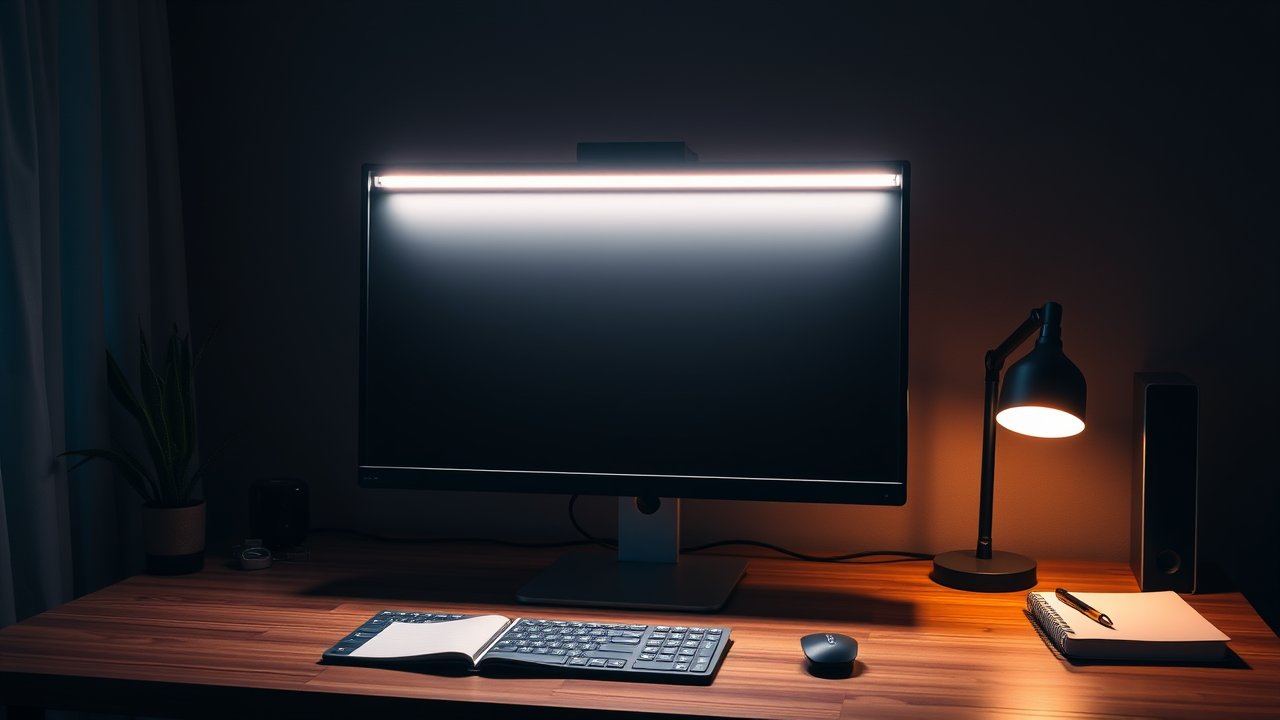
Desk lamps take up space, cast shadows, and often bounce glare straight off your screen. A monitor light bar solves all three problems. It clips onto the top of your monitor and shines light down onto your desk at an angle that doesn’t hit the screen, so you get an evenly lit workspace without reflections. If you work early mornings or late evenings, it’s one of the best upgrades you can make for less than $100. In this guide, we compare the best monitor light bar options – from the BenQ ScreenBar that started the category to budget models that deliver most of the benefits for a fraction of the price.
As an Amazon Associate, I earn from qualifying purchases. This article contains affiliate links at no extra cost to you.
Quick Comparison Table
| Product | Price | Best For | Rating |
|---|---|---|---|
| BenQ ScreenBar Halo | ~$180 | Best overall | ⭐⭐⭐⭐⭐ |
| BenQ ScreenBar (Original) | ~$110 | Best value premium | ⭐⭐⭐⭐⭐ |
| Quntis Monitor Light Bar | ~$40 | Best budget | ⭐⭐⭐⭐ |
| Xiaomi Mi Monitor Light Bar | ~$50 | Best minimalist design | ⭐⭐⭐⭐ |
| Light Bar for Curved Monitors | ~$80–$200 | Best for curved & ultrawide | ⭐⭐⭐⭐ |
| Light Bar with RGB Backlight | ~$50 | Best for gaming setups | ⭐⭐⭐⭐ |
Prices are approximate at the time of writing and may vary. Check Amazon for the current price.
Our Top Picks at a Glance
The BenQ ScreenBar Halo is the best monitor light bar overall thanks to its asymmetric optics, wireless controller, and backlight that reduces contrast behind your screen. The original BenQ ScreenBar gives you the same core benefit for less. On a budget, the Quntis Monitor Light Bar gets you glare-free task lighting for around $40.
Reviews – The Best Monitor Light Bar Options in 2026
1. BenQ ScreenBar Halo – Best Overall
BenQ popularized the monitor light bar, and the ScreenBar Halo is its flagship. Its asymmetric optical design aims light down at your desk while keeping it off your screen – no reflections, no glare. A rear-facing backlight softly illuminates the wall behind your monitor, which reduces the harsh contrast between a bright screen and a dark room – one of the biggest causes of eye fatigue during evening work.
The wireless puck controller sits on your desk and lets you adjust brightness and color temperature with a twist. An auto-dimming sensor adjusts brightness to ambient light. The clamp works with thick monitors and curved screens. It’s pricey, but it’s the most complete solution available.
Pros:
– Excellent glare-free optics
– Backlight reduces eye strain
– Wireless controller
– Auto-dimming and adjustable color temperature
Cons:
– Expensive
– USB-powered – needs a free port or adapter
– Controller needs batteries
2. BenQ ScreenBar (Original) – Best Value Premium Pick
The original ScreenBar has the same glare-free asymmetric optics as the Halo, but without the backlight and wireless controller. Touch buttons on the bar itself control brightness and color temperature, and an auto-dimming mode is built in.
For many people, this is the sweet spot. You get BenQ’s excellent light distribution and build quality for noticeably less money. If your room already has decent ambient light at night, you won’t miss the backlight much.
Pros:
– Same quality optics as premium model
– Auto-dimming
– Compact, clean design
– Long track record
Cons:
– Touch controls on the bar are less convenient
– No backlight
– Clamp less suited to very thin monitors
3. Quntis Monitor Light Bar – Best Budget Option
Quntis makes one of the most popular budget monitor light bars, and user reviews are consistently positive. It offers adjustable brightness and color temperature, a USB power cable, and an angle that keeps glare off most screens. Some versions include a wireless controller even at this price.
The light is not quite as even or precisely controlled as BenQ’s, and very bright settings can create slight reflections on glossy screens. But for around $40, it’s a big improvement over overhead lighting alone.
Pros:
– Very affordable
– Adjustable color temperature
– Easy to install
– Some versions include remote
Cons:
– Less precise beam control
– Plastic build feels lighter
– Can glare on glossy screens at max brightness
4. Xiaomi Mi Monitor Light Bar – Best Minimalist Design
Xiaomi’s light bar is a beautiful, simple aluminum design with a rotating knob on the end for brightness and color temperature. It uses asymmetric optics similar to BenQ’s and sits neatly on most flat monitors. The aesthetic fits clean, minimal desk setups perfectly.
It’s USB-C powered and installs in seconds. The main limitation is that it’s designed for flat monitors with standard bezels – curved or unusually thick screens may not work as well.
Pros:
– Elegant aluminum design
– Intuitive rotating control
– Good beam control for the price
Cons:
– Not ideal for curved monitors
– Fewer features than BenQ
– Availability varies
5. Light Bars for Curved & Ultrawide Monitors – Best for Curved Screens
Curved monitors are tricky. Most light bars are designed for flat screens and can wobble or sit at the wrong angle on a curve. Several brands, including BenQ, make models specifically for curved displays with clamps designed to hold onto the curve securely and optics tuned to cover wider desks.
If you have a 34-inch ultrawide or larger, look for one of these models. A standard bar will usually light only the center of your desk. For help choosing the screen itself, see our guide to the best ultrawide monitors for home office.
Pros:
– Secure fit on curved monitors
– Wider light coverage
– Same glare-free benefits
Cons:
– More expensive
– Fewer options available
6. Light Bar With RGB Backlight – Best for Gaming Setups
Gaming-focused light bars combine a front-facing desk light with a colorful RGB backlight behind the monitor. You get practical task lighting plus bias lighting that adds atmosphere and helps reduce eye strain in dark rooms.
They’re a fun upgrade for hybrid work and gaming desks. Just note that light quality on the desk side usually isn’t as refined as dedicated task-light bars. If you love the RGB look, pair this with our RGB desk setup guide.
Pros:
– Task light and RGB backlight in one
– Great for dark-room gaming
– Usually affordable
Cons:
– Front light less precise than premium bars
– RGB effects can distract during work
How We Researched & Selected These Products
Our selections are based on research and user reviews. We compared manufacturer specifications for brightness, color temperature range, color rendering (CRI), power requirements, and clamp compatibility. We then analyzed thousands of verified owner reviews to look for common issues like screen glare, flicker, clamp slipping, and early failure. Expert reviews from tech publications helped us verify claims about light distribution and build quality. We prioritized light bars that keep light off the screen, offer adjustable color temperature, and fit a wide range of monitors.
Buyer’s Guide – How to Choose the Best Monitor Light Bar
Asymmetric Optics (Glare Control)
This is the feature that separates a good light bar from a cheap LED strip. Asymmetric optics angle light forward onto your desk and away from your screen, so you don’t see reflections. Check reviews for glare complaints, especially if you have a glossy monitor.
Color Temperature
Look for adjustable color temperature, usually from about 2700K (warm) to 6500K (cool). Cooler light helps you focus during the day; warmer light is easier on your eyes in the evening. For a full explanation, read our home office lighting setup guide.
Brightness and Auto-Dimming
Auto-dimming sensors adjust output based on room light. This is helpful if your office gets sunlight during the day and darkens at night.
Monitor Compatibility
Check the clamp range for your monitor’s thickness. Curved monitors need a curved-specific model. Webcams that sit on top of your monitor can conflict with some light bars – some models include a webcam mount on top.
Power Source
Most light bars use USB. A powered USB port on your monitor or a small wall adapter works best. Some laptops’ USB ports don’t provide enough current for full brightness.
Price vs. Quality – What to Expect at Each Budget
- Under $50: Good basic light bars with adjustable brightness. Optics less precise.
- $50–$120: Better glare control, auto-dimming, better build.
- $120+: Wireless controllers, backlights, curved-monitor support, premium materials.
Light Bar vs. Desk Lamp – Which Do You Need?
A monitor light bar is the best choice when desk space is tight and glare is a problem. A traditional desk lamp is better if you need light for reading paper documents far from your monitor or for artistic work. Many people use both: a light bar for screen work and a small lamp for ambient warmth. See our list of the best LED desk lamps for eye strain if you want to compare.
The American Academy of Ophthalmology notes that reducing glare and following the 20-20-20 rule – looking 20 feet away for 20 seconds every 20 minutes – can help with digital eye strain.
How to Install and Set Up a Monitor Light Bar
Installation takes less than two minutes. Hang the clamp over the top edge of your monitor so the counterweight rests against the back, then seat the light bar on the clamp. Plug the USB cable into a powered port – the back of your monitor, a USB hub, or a small wall adapter. Route the cable along your monitor stand or arm so it doesn’t dangle.
Once it’s installed, follow these steps for the best results:
- Check the angle. Sit in your normal working position. You should not see the LEDs directly or any reflection on the screen. If you do, tilt the bar slightly forward.
- Set brightness by task. Your desk should be roughly as bright as your screen. A brightly lit desk next to a dim screen – or vice versa – makes your eyes work harder.
- Adjust color temperature through the day. Use cooler white (around 5000–6500K) in the morning and switch to warmer light (2700–3500K) after sunset.
- Add ambient light. A light bar lights your desk, not the room. In a completely dark room, add a backlight, a small lamp, or bias lighting behind the monitor. Our guide to the best bias lighting for monitors explains why this reduces fatigue.
Webcam Conflicts
Many people keep a webcam on top of the monitor, right where the light bar wants to go. Some light bars include a small mount on top for a webcam. Otherwise, you can mount the webcam on a small tripod or use a monitor arm accessory. Check our picks for the best webcams for home office if you need a camera with a flexible mount.
Frequently Asked Questions
Are monitor light bars worth it?
Yes, for most people who work in the evening or in rooms with poor lighting. They light your desk evenly without glare and take up no desk space. Many users report less eye fatigue after switching from overhead lights alone.
Do monitor light bars work on curved monitors?
Standard models often don’t fit well. Choose a light bar specifically designed for curved monitors, which uses a different clamp and wider light coverage.
Can a monitor light bar replace a desk lamp?
For most screen-based work, yes. If you read printed documents or sketch at the far side of your desk, you may still want a separate lamp.
Does a monitor light bar cause screen glare?
Good ones don’t. Asymmetric optics direct light down and forward, away from the screen. Cheaper models may create some glare at high brightness on glossy screens.
Final Verdict
The BenQ ScreenBar Halo is the best monitor light bar for anyone who wants the most complete solution: glare-free task lighting, a soothing backlight, and convenient wireless control. The original BenQ ScreenBar delivers the same excellent optics for less, while the Quntis Monitor Light Bar is the best budget pick. If you use a curved or ultrawide screen, choose a curved-specific model. Whichever you pick, you’ll gain desk space, reduce glare, and make evening work far more comfortable.