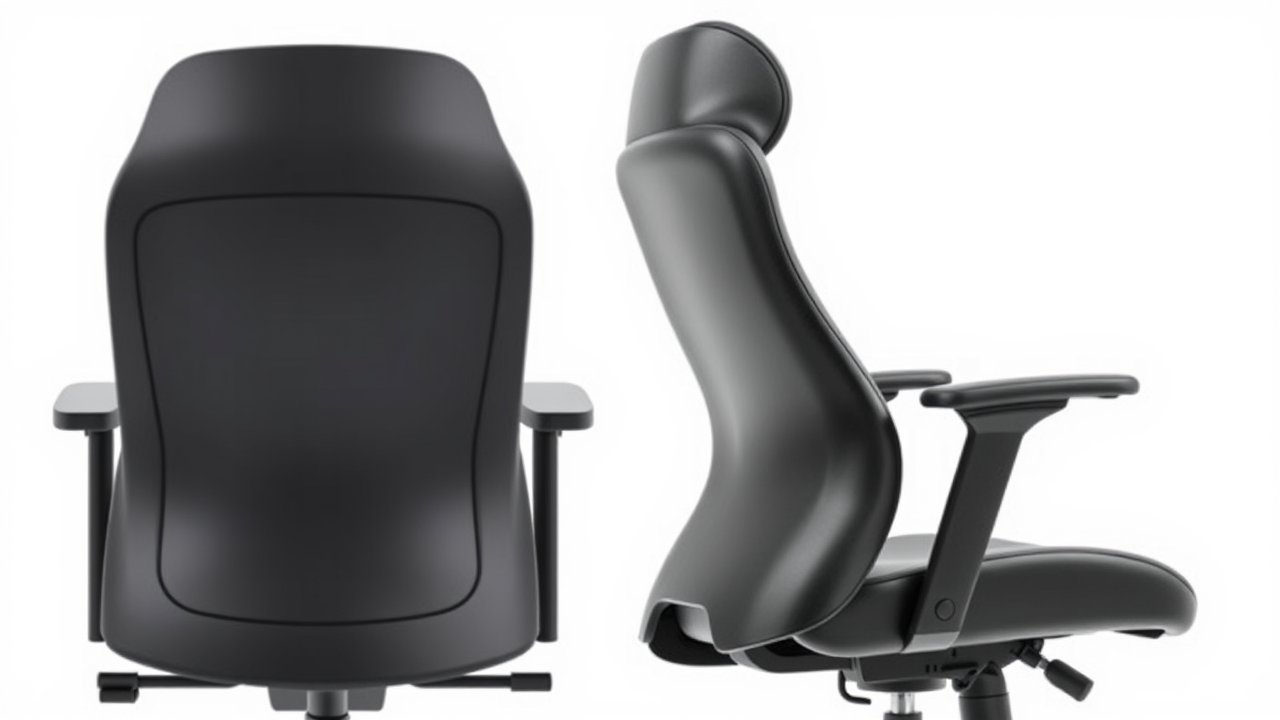
Steelcase makes two of the most recommended ergonomic office chairs in the world, and they often end up on the same shortlist. The Leap V2 is famous for its flexible backrest and long track record, while the Gesture was designed for how we actually use technology today – leaning back with a phone, angling toward a tablet, or switching between keyboard and touchscreen. Both cost well over $1,000 new, so choosing between them deserves careful thought. This Steelcase Leap vs Gesture comparison is for remote workers, developers, and anyone investing in a long-term chair who wants to understand the real differences in back support, armrests, comfort, and value.
As an Amazon Associate, I earn from qualifying purchases. This article contains affiliate links at no extra cost to you.
Quick Verdict
The Steelcase Leap V2 is the better choice for most people who type and sit upright for long hours – its LiveBack system and adjustable lower-back firmness provide outstanding lumbar support. The Steelcase Gesture wins if you frequently recline, use multiple devices, or want the most adjustable armrests on any office chair.
Side-by-Side Comparison
| Feature | Steelcase Leap V2 | Steelcase Gesture |
|---|---|---|
| Typical Price (new) | ~$1,200–$1,500 | ~$1,300–$1,600 |
| Back Technology | LiveBack (flexes with spine) | Core Equalizer (moves with upper and lower back) |
| Lumbar Adjustment | Height + adjustable firmness | Optional adjustable lumbar |
| Armrests | 4D | 360 arms (pivot like a human arm) |
| Seat | Natural Glide System, adjustable depth | Adaptive bolstering, adjustable depth |
| Recline | Upright-friendly, adjustable tension, 5 lock positions | Deeper recline, adjustable tension |
| Weight Capacity | Up to 400 lbs | Up to 400 lbs |
| Headrest | Optional (some models) | Optional |
| Best Use | Focused desk work, typing | Mixed devices, reclining, multitasking |
Prices are approximate at the time of writing and may vary. Check Amazon for the current price.
Steelcase Leap V2 – In-Depth Review
Design & Build Quality
The Leap V2 has a clean, utilitarian look that has barely changed in years – because it doesn’t need to. The backrest is designed to change shape as you move, mimicking the flex of your spine. Build quality is excellent, with parts designed to last a decade or more. Many offices buy Leaps in bulk, which also means refurbished units are widely available.
Performance & Stability
The Leap’s standout feature is its LiveBack technology. The backrest flexes and changes shape to support your spine as you shift positions. The lower-back firmness knob lets you dial in how strongly the lumbar area pushes into your back, which is rare even among premium chairs. The Natural Glide System moves the seat forward slightly as you recline, so you stay close to your desk and keep your eyes on your screen.
For long typing sessions, this upright support is hard to beat. Owners often describe the Leap as the chair that “disappears” – you forget you’re sitting in it.
Features & Customization
- Seat height and depth adjustment
- Lower back height and firmness
- 4D armrests (height, width, depth, pivot)
- Recline tension and multiple lock positions
- Upper back force adjustment
Price & Value
New Leaps typically cost $1,200 to $1,500 depending on configuration. Refurbished Leaps from reputable dealers can cost much less, which makes them one of the best values in premium seating. For context, see our Aeron vs Leap comparison.
Best for: Full-time desk workers, programmers, writers, and anyone who sits upright and types for many hours.
Steelcase Gesture – In-Depth Review
Design & Build Quality
The Gesture has a softer, more modern look with a rounded backrest and slim profile. Steelcase designed it after studying how people sit with smartphones, tablets, and laptops. Build quality is on par with the Leap, with premium materials and a long warranty.
Performance & Stability
The Gesture’s Core Equalizer lets the upper and lower back move independently as you recline, providing consistent support across positions. The seat uses adaptive bolstering, which flexes at the edges for comfort. Where the Gesture shines is reclining: it supports you comfortably whether you’re leaning back to read, holding a phone, or sitting upright to type.
Lumbar support is good but less customizable than the Leap’s firmness control unless you add the optional adjustable lumbar.
Features & Customization
The headline feature is the 360 arm. Each armrest pivots, slides, and adjusts in height like a human arm, letting you position it exactly where you need support – under your forearms while typing, close in while using a phone, or wide when reading a tablet. No other office chair offers this range.
- Seat height and depth adjustment
- 360 armrests with wide range of motion
- Recline tension and limiter
- Optional adjustable lumbar and headrest
Price & Value
The Gesture usually costs slightly more than the Leap. Refurbished units are available but less common. If you value its unique armrests and recline comfort, it’s worth the premium.
Best for: Hybrid workers who use phones and tablets often, people who recline during calls, and anyone who needs highly adjustable armrests.
Steelcase Leap vs Gesture: Key Differences
Price Difference
The Gesture typically costs $100 to $200 more than a comparable Leap. The Leap also has a larger refurbished market, which can save you hundreds of dollars.
Performance Difference
The Leap is better for upright, focused work thanks to its adjustable lumbar firmness and LiveBack technology. The Gesture is better for dynamic sitting and reclining, especially when using multiple devices. Both are excellent – the difference is about how you sit.
Comfort Differences
Leap users often praise the firm, adaptable back support. Gesture users highlight the comfortable recline and arm flexibility. The Gesture’s seat feels slightly softer, while the Leap’s feels more structured.
Armrests
The Gesture’s 360 arms are its biggest advantage. The Leap’s 4D arms are excellent, but they don’t match the Gesture’s range of motion.
Who Should Buy the Steelcase Leap
- You type for long hours and sit upright most of the day
- You want maximum control over lumbar support
- You’re interested in a refurbished premium chair
- You prefer a firmer, structured feel
Who Should Buy the Steelcase Gesture
- You recline often or take many calls
- You use tablets and phones throughout the day
- You need extremely adjustable armrests
- You prefer a softer seat feel
Other Chairs to Consider
If neither chair feels like the perfect fit, there are alternatives. The Herman Miller Aeron offers a breathable mesh design – ideal if you run warm – while the Herman Miller Embody focuses on spinal alignment and pressure distribution. See our Herman Miller Embody review and our broader Herman Miller vs Steelcase brand comparison for more context. If $1,000+ is outside your budget, our list of the best ergonomic chairs under $500 includes strong alternatives.
Day-in-the-Life: How Each Chair Feels Over a Workday
Specs only tell part of the story. Here’s how the two chairs typically fit into a remote worker’s day, based on owner feedback.
Morning focus block (9–11 a.m.): You’re upright, typing, and concentrating. The Leap excels here. Its lumbar firmness pushes gently into your lower back, and the Natural Glide System keeps you close to the keyboard even when you lean back slightly. Gesture owners report good support too, but the Leap’s adjustable firmness gives it the edge for long stretches of upright typing.
Late-morning meetings (11 a.m.–1 p.m.): You lean back during video calls, maybe holding a notebook or phone. This is where the Gesture shines. Its 360 arms move inward to support your elbows while you hold a phone, and the recline feels consistent and supportive. The Leap reclines well, but its 4D arms can’t follow you as closely.
Afternoon multitasking (1–4 p.m.): You switch between keyboard, tablet, and phone. The Gesture’s arms adapt to each device, and its seat edge flexes when you sit forward or cross your legs. The Leap handles this well too, but feels best when you return to a classic typing posture.
End of the day: Both chairs reduce fatigue compared to cheaper chairs. Users who sit upright most of the day tend to prefer the Leap; users who move around and recline tend to prefer the Gesture.
Fabric, Finishes, and Customization
Both chairs come in a wide range of fabrics and frame colors, including black, platinum, and white frames depending on the seller. The Leap is often available with a vinyl or leather option, and the Gesture can be configured with a wrapped back or a shell back. Optional headrests are available for both. If you sit in a warm room, choose a breathable fabric rather than leather or vinyl. Pay attention to configuration details when comparing prices – a “base” chair without adjustable lumbar or a headrest can look cheaper but be less comfortable for your needs.
Buying New vs. Refurbished
Because Steelcase chairs are built to last, refurbished units are a popular way to save money. Reputable refurbishers replace worn parts like foam, fabric, and casters, and many offer their own warranties. Check what’s included: arm type, lumbar options, and headrest availability vary. A refurbished Leap can sometimes cost half the price of a new one, making it one of the best deals in premium seating. New chairs come with Steelcase’s full warranty and the exact configuration you choose.
Where to Try Before You Buy
If possible, sit in both chairs before spending over $1,000. Many office furniture showrooms, Steelcase dealers, and some retail stores carry floor models. Spend at least 15 minutes in each chair: adjust the seat depth, test the recline, and type on a keyboard. Pay attention to how your lower back feels after a few minutes, and whether the armrests reach your elbows comfortably. If you can’t try them in person, buy from a seller with a generous return policy.
Our Recommendation
Winner for most people: Steelcase Leap V2. It offers exceptional lumbar support, proven durability, and better value – especially on the refurbished market. If you work at a computer and type for most of the day, it’s the stronger choice.
Runner-up: Steelcase Gesture. If your workday involves frequent reclining, phone use, and switching between devices, the Gesture’s 360 arms and flexible back make it the better fit.
Whichever you choose, adjust it carefully. Our guide on how to adjust your office chair walks you through every setting. For general sitting ergonomics, the Mayo Clinic’s office ergonomics guide is a helpful reference.
FAQ
Is the Steelcase Gesture more comfortable than the Leap?
It depends on how you sit. The Gesture feels more comfortable for reclining and device use, while the Leap often feels better for upright typing thanks to its adjustable lumbar firmness.
Which is better for back pain: Leap or Gesture?
Many people with lower back pain prefer the Leap because of its adjustable lower back firmness and height. However, the Gesture’s consistent support across recline positions also helps some users. If possible, try both.
Are Steelcase chairs worth the money?
For people who sit many hours a day, yes. Both chairs are built to last a decade or more and come with long warranties, so the cost per year of use is relatively low.
Can tall people use the Leap and Gesture?
Both chairs accommodate a wide range of body sizes, and seat depth adjustment helps taller users. Very tall users may want a taller cylinder option and a headrest. See our list of the best ergonomic chairs for tall people.
How long do Steelcase chairs last?
With normal use, both chairs commonly last ten years or more. Steelcase backs them with long warranties, and replacement parts like casters, cylinders, and arm caps are widely available, so you can keep a chair running for many years.
Which chair is better for small or petite users?
Both chairs adjust well for smaller users, but the Gesture’s lower minimum seat height and highly adjustable arms often make it easier for petite users to dial in. Short users should also consider a footrest. Our list of the best ergonomic chairs for short people has more options.
Do both chairs come with a headrest?
Headrests are optional on both chairs, depending on the configuration and seller.
Final Thoughts
In the Steelcase Leap vs Gesture debate, there’s no wrong answer – both are among the best office chairs ever made. Choose the Leap for structured, upright support and better value. Choose the Gesture for flexible, device-friendly comfort and unmatched armrests.